He was taking a portrait of his new wife on the beach — and only later spotted what was behind her.
One quiet AI tool turned a ruined honeymoon shoot into the album they had imagined. Stay with the story — the last paragraph is the part most people miss.

Daniel and Sofia had been married for less than a week. They had chosen a small island for the honeymoon — soft sand, a quiet shore, a sky that turned orange about an hour before sunset. That evening felt like a gift. Daniel picked up the camera and asked her to stand near the water in her wedding dress, one more time, while the light was still kind.
They shot for nearly an hour. Laughed between frames, moved a few steps left, a few steps right, chased the colour as the sun dropped. By the time it slipped behind the horizon they were barefoot, exhausted and quietly certain these would be the photos they would keep on the wall for the rest of their lives.
Then they opened the files on a laptop
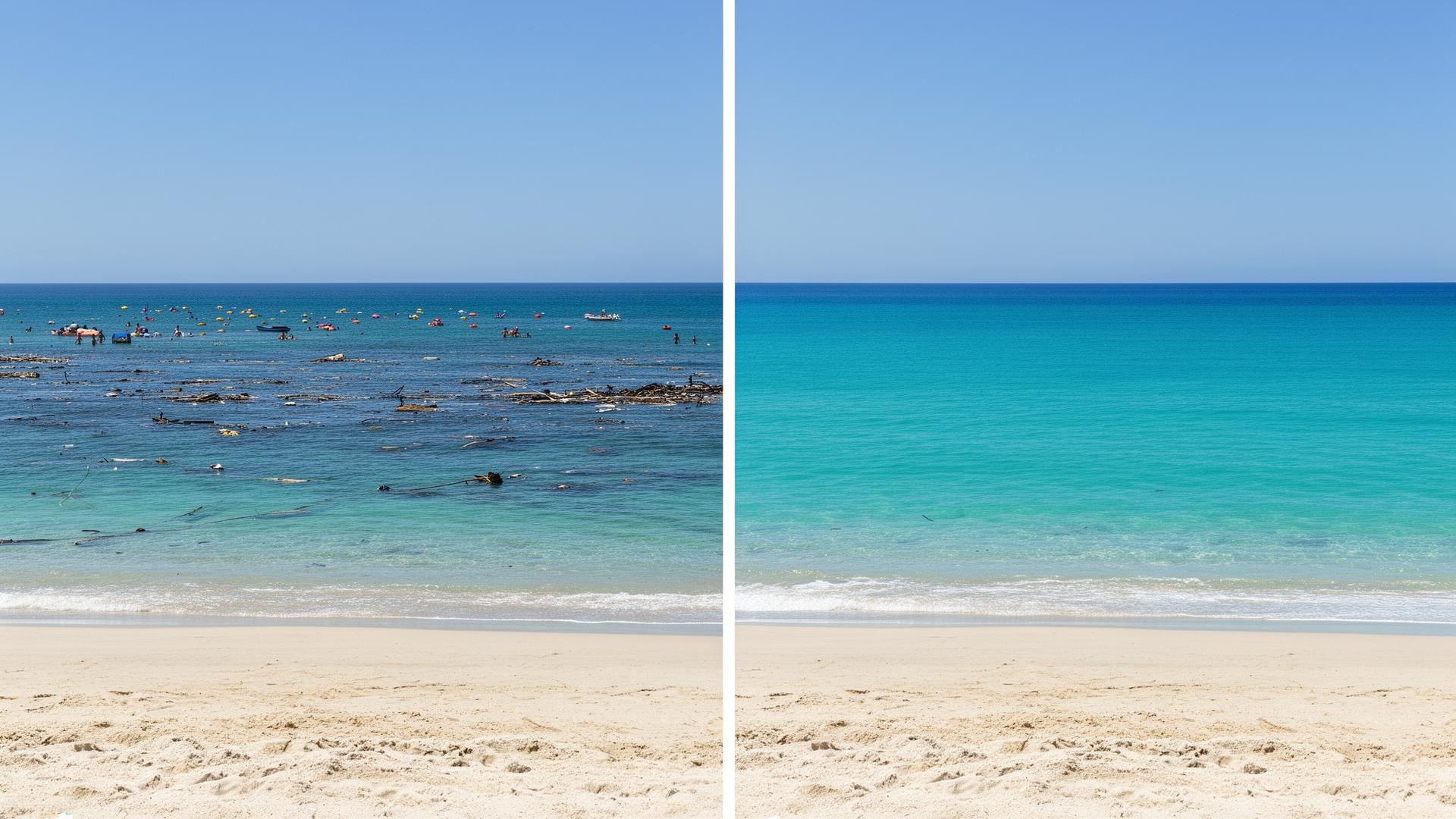
On a larger screen the scene was not the one they remembered. Just behind Sofia, a moored cruiser was crowded with a loud party. Two swimmers floated through nearly every wide shot. A plastic bottle had been sitting in the sand the whole time. A small tour boat was cutting across the horizon line.
The portraits were not ruined because of Sofia — she looked extraordinary in every frame — they were ruined by everything else that crept into the picture while they weren't looking.
“If we'd seen it on the back of the camera we would have just moved a few metres and shot it again. By the time we noticed, we were on a plane home. There was no way to retake them.”
Sofia almost cried. These were not casual holiday snaps. This was the one and only time she would ever be photographed in that dress, by that ocean. Daniel kept scrolling. Every single keeper had something in it that shouldn't be there.
By the end of the night, the problem was solved
Daniel went looking for something — anything — that could quietly clean up the backgrounds. Photoshop wanted hours and the patience of a retoucher. The free phone apps either swallowed half of Sofia's dress or smeared the sea into a green blur. Then he stumbled across Digitcalls.
Digitcalls is an online AI editor that removes the things that shouldn't be in a photograph — strangers, litter, signs, cables, stray shadows — and then carefully rebuilds whatever should have been behind them. Sand looks like sand. Water looks like water. You can't see the seam.
What Digitcalls actually does
One tool that covers almost every photo job a normal person ever needs. Nothing to install. No studio subscription.
Remove anything in the way
Strangers, rubbish, wires, road signs — gone. The AI fills the gap so the result doesn't look retouched.
Cut out the subject
Lift a person or a product from any background in a few seconds. Perfect for shop listings, portraits and CVs.
Paint detail back in
Extend a composition, recover something that was cropped out, or rebuild parts of the image that simply weren't captured.
Smart enhancement
Light, colour, contrast and white balance corrected automatically — no sliders, no second-guessing.
Upscale up to 4×
Lift old or low-resolution photos to a quality you can actually print and frame.
Quick editor
Crop, convert formats, compress and sharpen — straight from the browser, no installer.
Before and after
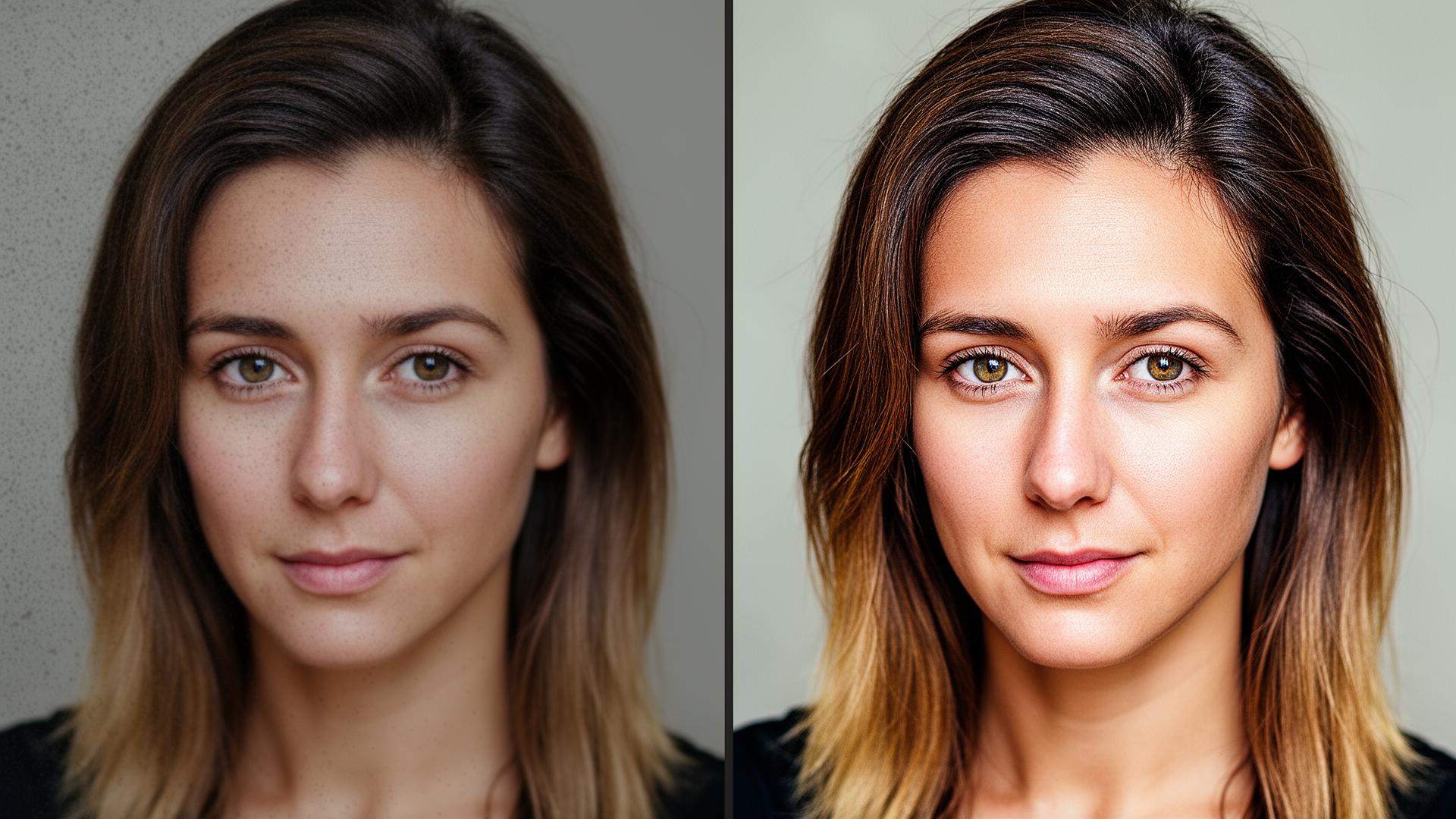
The exact images Daniel ran through Digitcalls that evening.
The honeymoon album was saved
In one evening they worked through the whole shoot. The cruiser quietly disappeared. The swimmers dissolved into the water. The bottle left the sand. The sea became what they had felt it to be that day — wide, empty, and theirs.
Two weeks later a printed album was sitting on a shelf in the living room. Every page was a moment they actually remembered, with nothing in the frame they didn't want.

Daniel and Sofia's story isn't rare. Thousands of people lose important pictures to something nobody saw in the background. Only a small percentage know it can be put right in under a minute.
Get access to Digitcalls
Full access to every feature — object removal, AI enhancement, upscaling, the browser editor. One payment, no subscription.
One-off payment · no recurring billing · works in your browser